This is an old revision of the document!
Name of the bots
To have the Bots placed using the World Editor AND having correct names displayed over their head(in white rather than their code name specified in the Primitive) used in the publisher, THEN.. this is how to proceed!!
First step: Locate the name given to the bot
To do this, we use the World Editor. Open the file “newbieland.worldedit”(which contains the Bots whose names we want to change).
Then we load the Primitive that contains them: Project> Add Primitive and I choose “urban_newbieland.primitive”.
 In this example, it is “bland_marchand_rm” AND “nbland_marchandlarmor”, the parts between $ in a row indicates their function and titles, that are indicated under their names. We will for the moment let it be.
We can now close World Editor.
Note: For those who prefer to work with xml files by hand, it is also possible to search the names of the Bots in the corresponding file with a text editor, in this example, it is:
code/ryzom/common/data_leveldesign/primitives/
Second step: Give a reference name to the server side bot
The server stores the “names of the Bots” in a file called “bot_name.txt”, it's located in code/ryzom/server/ data_shard/language.
It can be opened with a simple text editor, tho you should pay attention to its format, which uses tabs.
For now, it's almost empty, only Chiang has the honor to have a name in the file(provided with the official sources of Ryzom Core):
*HASH_VALUE	bot name	translated name	sheet_name

_819E5006E9093123	chiang_the_strong	$gn_chiang_the_strong$
There is a tab between each field, including before the last one, even if it is empty, think of including it when you add entries.
The HASH code of the first field guarantees the difference between two entries. It is enough to determine it yourself.
I decided to build the names on the same model as the example provided, adding gn_ before the call retained in the file “urban_newbieland.primitive” and enclosing them with $
We thus obtain:
*HASH_VALUE	bot name	translated name	sheet_name

_819E5006E9093123	chiang_the_strong	$gn_chiang_the_strong$
_752H6DZ7CG70OSA2	bland_marchand_rm	$gn_bland_marchand_rm$
_987HXH876RXTDV95	nbland_marchand_larmor	$gn_nbland_marchand_larmor$
It is then necessary to indicate for each language file the version in the corresponding language. In our case, we will deal with title_words_en.txt. It is also opened with a text editor. It is organized in the same way and we will modify it in a similar way, but this time by indicating the value translated name that we defined above, without the $. Again, we create a HASH at the beginning to make the line unique, and we do not forget the end-of-line tabs.
Add the following lines at the end of the file:
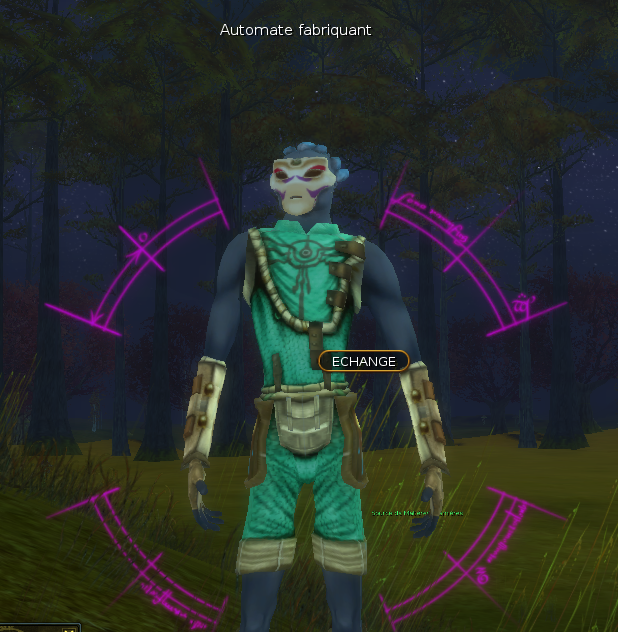
_87X98YD8DHZ8HYH7	gn_bland_marchand_rm	        Automate Generator
_N4I7YXC827T7H68C	gn_nbland_marchand_larmor	Manufacturing automaton
Note: It is of course possible(and even recommended) to add translations in all server language files.
Then, for the server to recalculate the packed_sheets, they will be erased and restarted:
$ shard stop
$ cd /home/khanat/ryzomcore/code/ryzom/server/data_shard
$ rm *.packed_sheets
$ shard start
Then we do <Ctrl + A>, <d> to leave Screen and find its terminal.
Step Three: update your client
For the time being, your client is not informed of this patch, so it is necessary to provide it with the new language files that have been updated on the server side.
The easiest way is to transfer a copy of these files to the “user” subdirectory of your game client, it's content always taking precedence over what is provided by default by the client.
In our case, we only have to copy the file “title_words_en.txt”.
At the next login, our bots will have nice names over their heads.